Integrity in OSINT

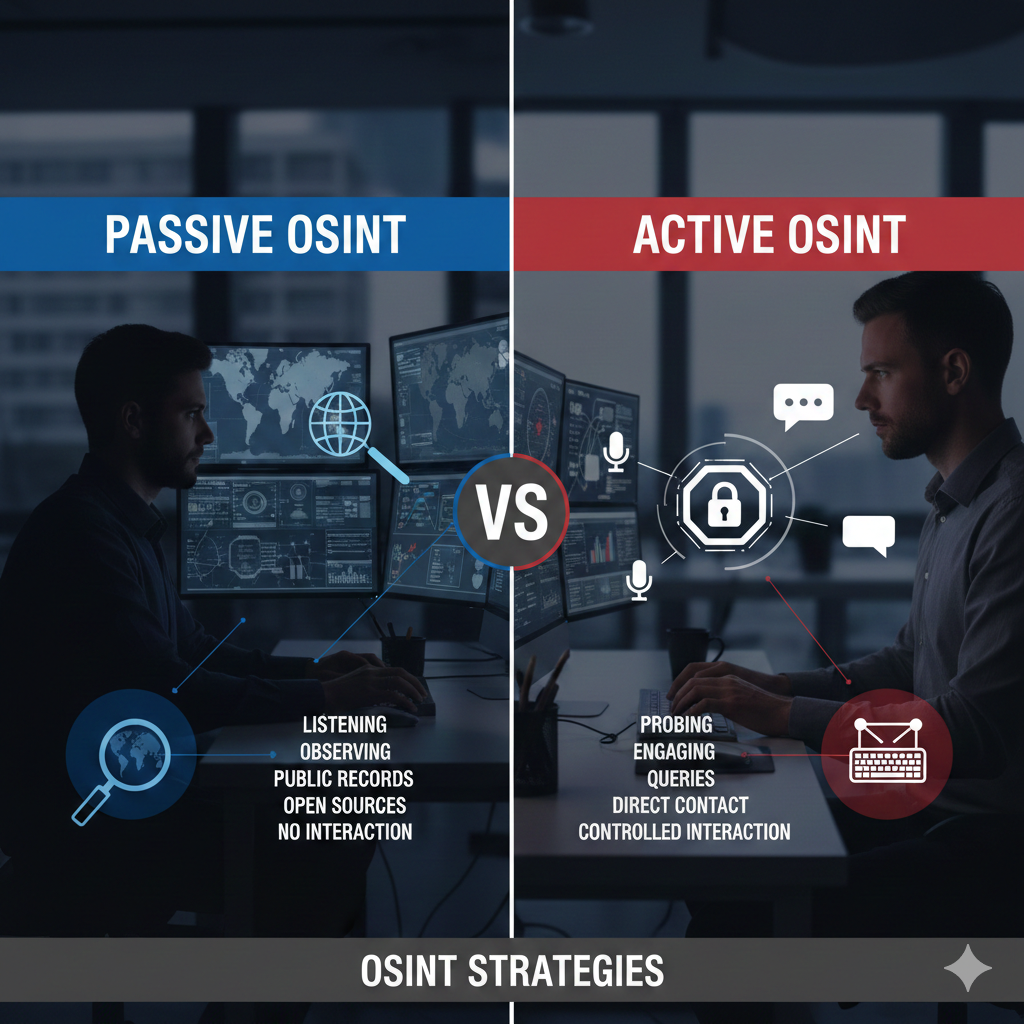
Having a foundational understanding to avoid self exposure and stay on track.
Understanding Passive vs. Active OSINT
Passive OSINT (Open-Source Intelligence) refers to the collection and analysis of publicly available information where the investigator never sends a packet to, or engages with, the target’s infrastructure. Instead of "knocking on the door," the researcher utilizes third-party repositories and cached data to build a profile.
Active OSINT (Open-Source Intelligence) involves data collection methods that require direct engagement with the target's assets. Unlike passive methods, active OSINT sends requests, packets, or communications directly to the target, which can be logged, monitored, or alerted by security systems.
Tools
While OSINT tools are invaluable for efficiency and adapt constantly to the digital landscape, they also present substantial risks to Operational Security (OPSEC). Even with a firm grasp of the distinction between passive and active methodologies, it is easy to inadvertently engage in active reconnaissance without realizing it.
Consider a scenario where a tool automates a search for a subject’s LinkedIn profile and opens the result in a new tab. If you are concurrently logged into a personal LinkedIn account within the same browser session, viewing that profile constitutes an active engagement. This action allows the platform to track your visit and potentially alert the subject to your identity, immediately compromising your investigation.
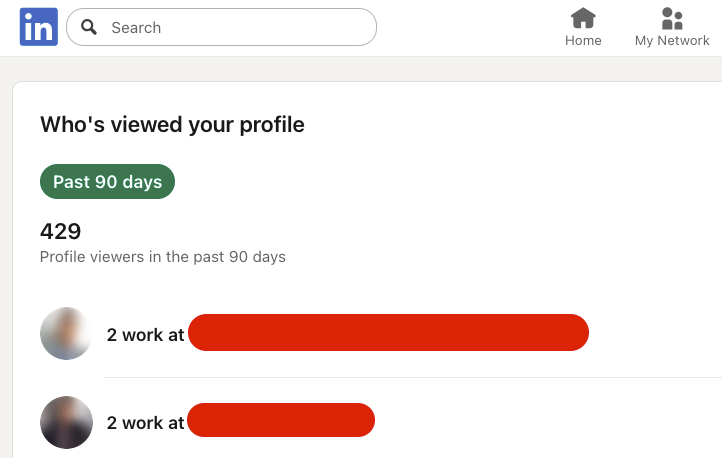
Without a LinkedIn Premium subscription, visitor analytics are restricted; however, Premium users can view a detailed list of individuals who have accessed their profile. If you wish to audit who is monitoring your account, you can typically access a free trial of LinkedIn Premium.
To maintain operational security during this process, consider the following safeguards:
- Financial Privacy: Use a virtual credit card for the trial sign-up to prevent recurring charges or the exposure of your primary banking details.
- Platform Privacy: Manually adjust your visibility by navigating to Settings & Privacy > Visibility > Profile Viewing Options and selecting Private Mode.
- Environmental Isolation: Regardless of platform settings, always conduct OSINT research within a Virtual Machine (VM) to ensure your host system and personal sessions remain isolated from the investigation.
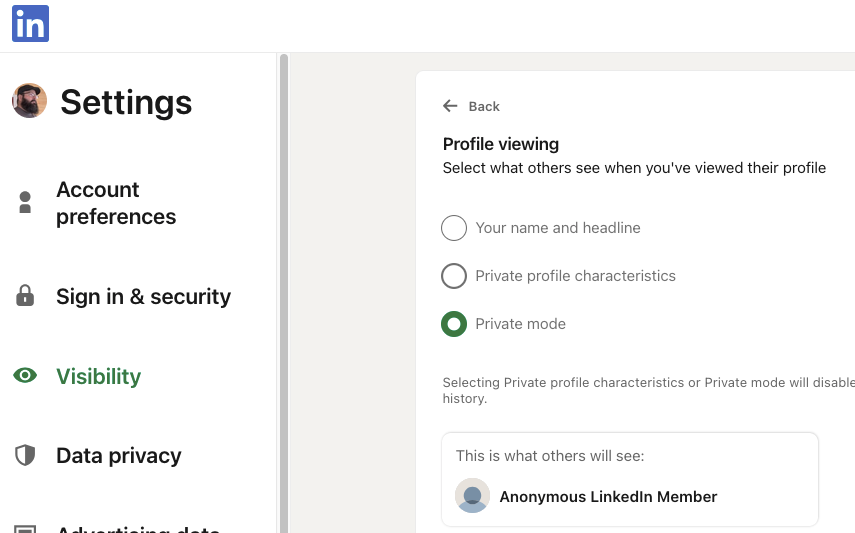
This should be a common practice to protect your identity, but NOT in place of good OPSEC practices. A virtual machine is best to ensure you are isolated from your host machine. You can also use a program like Kasm which provides you with a complete workstation, right in your browser tab.

It is easy to let the momentum of a new lead or pivot point override your safety protocols. However, you must resist the urge to perform a "quick check" outside of your isolated environment. Establishing a rigid practice of always utilizing a Virtual Machine (VM) is non-negotiable, regardless of the perceived risk level of the target.
Operating on a host machine—even for a moment—can result in:
- Immediate Identity Exposure: Browser fingerprints and IP leaks can permanently "burn" an investigator.
- Compromised Case Integrity: Failing to isolate your research environment introduces cross-contamination between personal and professional data.
- Irreversible Errors: It only takes a single unproxied request to alert a subject or platform to your interest.
Technique
After understanding the distinctions between passive and active methodologies, it is critical to implement regular self-audits. This practice serves two primary functions:
- Preventing Scope Creep: It ensures you do not inadvertently transition from passive observation to active engagement, avoiding potential legal or ethical "rabbit holes."
- Maintaining Anonymity: It keeps you mindful of automated tools that may interact directly with a target platform, preventing the accidental exposure of your browser fingerprint, IP address, and other identifying metadata.
Never Cross the Line
During the course of an investigation, you may gain access to a subject's private credentials. When leads stall, the temptation to utilize this access to generate new pivot points can be significant. You might attempt to justify this action by prioritizing the investigation's outcome over a singular ethical lapse. However, you must never cross this line.
Unauthorized access to private data carries severe consequences:
- Compromised Integrity: Ethical breaches permanently damage your professional reputation.
- Legal and Case Failure: Illegally obtained evidence can render an entire investigation inadmissible or result in its dismissal.
- Career Risk: Such actions are often grounds for immediate termination.
If you reach a point of frustration, step away from the keyboard to reset. Approach the problem from a new perspective while ensuring your methodology remains rooted in honesty and strict adherence to protocol.