PwnedLookup Tool

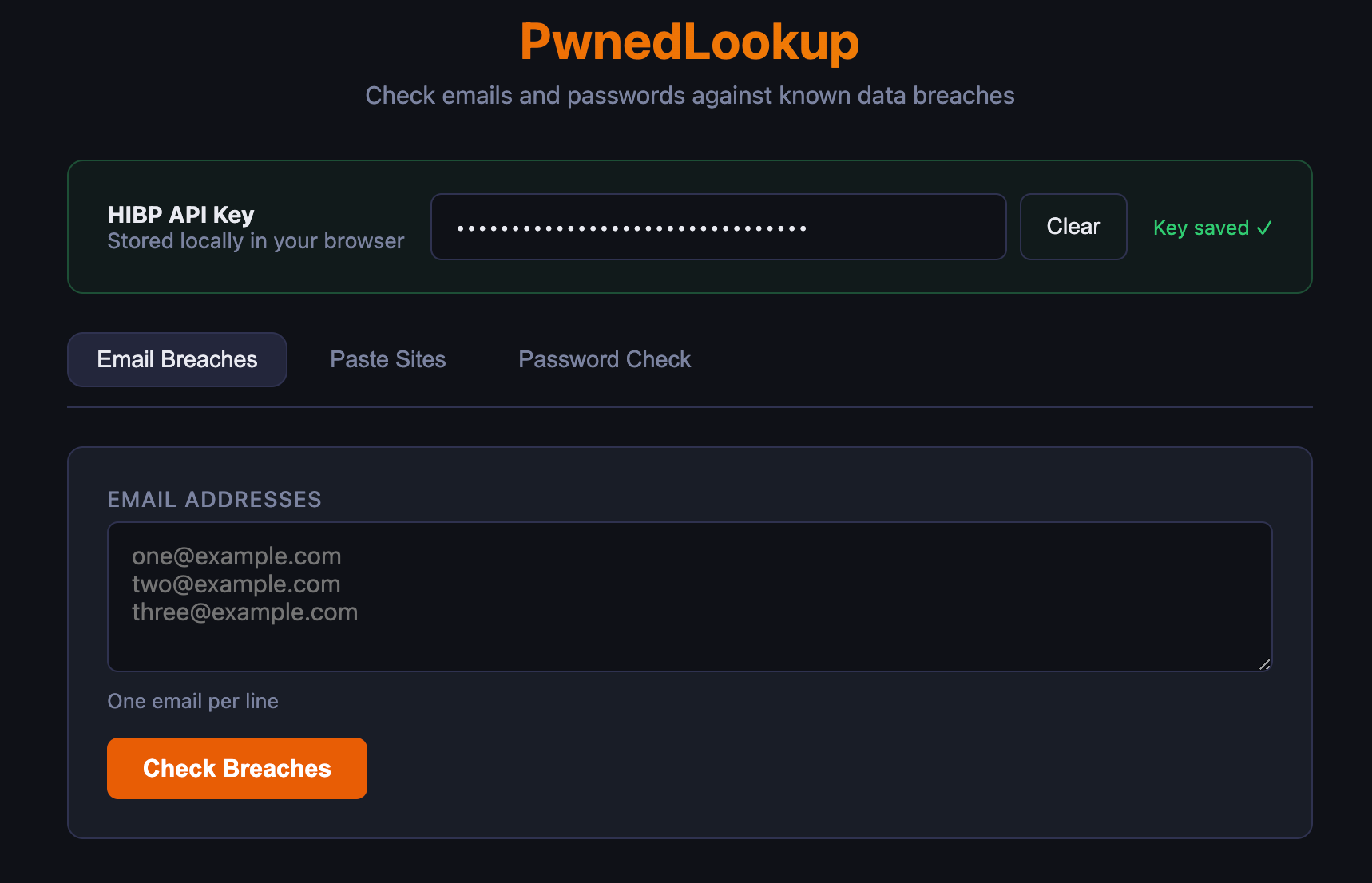
--> https://hibp-app.vercel.app/
How PwnedLookup Works
If you've ever wondered whether your email shows up in a data breach, or whether a password you use has already been leaked, you've probably run into Have I Been Pwned (HIBP) — the go-to database for this kind of check. PwnedLookup is a lightweight web app that wraps the HIBP API in a clean, self-hostable interface, letting you run these checks without digging through raw API responses or relying on a third-party site to handle your data.
Here's a look at how it actually works under the hood.
The Core Idea
PwnedLookup is a thin client for the HIBP API. It doesn't store its own breach database — instead, it sends requests to HIBP on your behalf and presents the results in a usable format. The app is split into two simple pieces:
- A single-page frontend (plain HTML and JavaScript, no build step required)
- A small set of API handlers that proxy requests to HIBP
This keeps the whole thing lightweight: no frameworks to compile, no heavy dependencies, and a project structure you can read top to bottom in a few minutes.
Three Kinds of Checks
The app supports three distinct lookups, each backed by its own API route:
- Email breach lookup — checks one or more email addresses against every breach HIBP has on file, telling you which services have leaked that address.
- Paste lookup — checks whether an email has shown up on Pastebin or similar paste sites, which is often where leaked credentials surface first.
- Password check — tells you whether a password has appeared in a known breach.
The password check is the most interesting from a privacy standpoint, so it's worth unpacking.
Why Your Password Never Leaves Your Machine
A naive password-checker would just send your full password to a server and ask "has this leaked?" — which is obviously a bad idea, since now a third party has seen your actual password.
PwnedLookup avoids this using the k-anonymity model that HIBP's Pwned Passwords API is built around:
- Your password is hashed locally using SHA-1.
- Only the first five characters of that hash are sent to the API.
- HIBP returns every hash in its database that shares that five-character prefix — typically hundreds of candidates.
- The app compares the full hash against that list locally, in your browser.
The result: HIBP never sees your password, and never even sees your full hash — just a prefix shared by hundreds of other hashes. There's no way to reverse-engineer your password from that fragment, but the app still gets a definitive yes/no answer.
Bring Your Own API Key
Email and paste lookups require an HIBP API key, since that part of the HIBP API isn't free. Rather than the app owner paying for and embedding a shared key (which would be a target for abuse), PwnedLookup has each user paste in their own key.
That key is stored in the browser's localStorage and sent along with each request as a custom header. It's never written into the app's source code or stored on a server, which matters both for security and for keeping the app deployable as a public tool without exposing the maintainer's own API usage to the world.
Handling Rate Limits Gracefully
HIBP's basic API tier caps requests at 10 email lookups per minute. Rather than letting users hit that wall blindly, PwnedLookup checks the size of a submitted batch upfront and warns when more than 10 addresses are submitted at once. If the rate limit is hit anyway, the app surfaces a clear message instead of a cryptic API error — small touches that make the tool noticeably friendlier to actually use.
Two Ways to Run It
The project is built to run identically in two environments:
- Locally, via a small Express server (
server.js) that delegates to the same handler functions used in production - On Vercel, where those same handlers run as serverless functions, with routing already configured in
vercel.json
Because the local server just calls the same api/ logic that Vercel invokes, there's no drift between "how it behaves on my machine" and "how it behaves once deployed" — you're testing the real code path either way.
Exporting Results
Once a lookup finishes, results can be exported as JSON, CSV, or PDF — useful if you're running checks across a list of accounts and want a record you can file away, hand to a team, or feed into another tool.
The Bigger Picture
What makes PwnedLookup worth a look isn't novelty — HIBP itself already does the heavy lifting of aggregating breach data. It's the implementation choices: no server-side secrets, no password ever transmitted in full, a batch-aware UI that respects API limits, and a codebase small enough to audit in one sitting. For anyone who wants breach-checking without trusting a black box, that combination is the whole point.
PwnedLookup is open source. You can find the code, deploy instructions, and a live demo at github.com/denniskeefe/pwnedlookup.