Bluesky Handle Checker

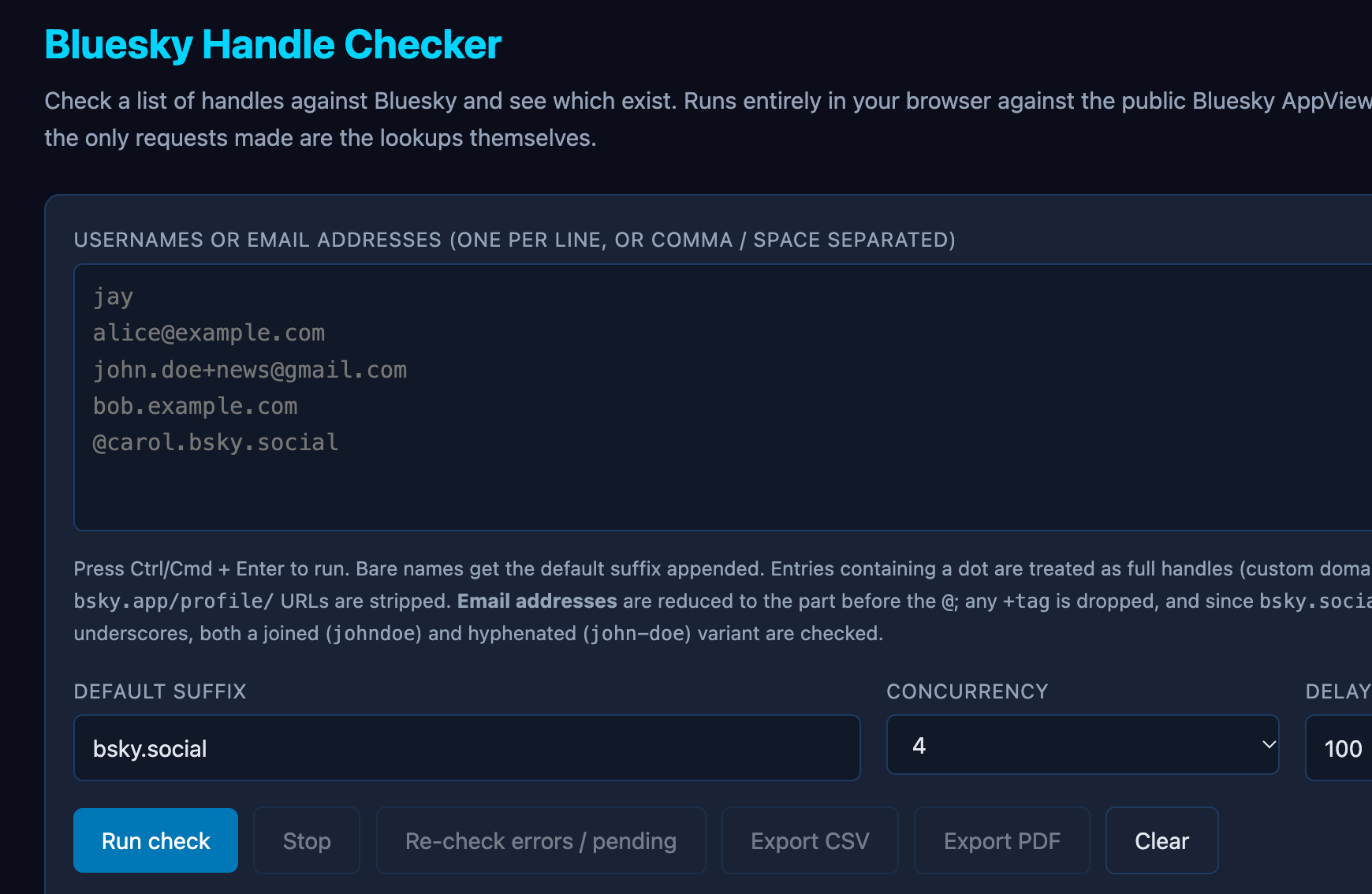
When I have a few usernames to check during an investigation, I like to have a simple way to work through them without opening a new tab for every variation. That’s what I had in mind when I created the Bluesky Handle Checker.
The idea is pretty simple: give the tool a list of possible handles and see which ones return a public Bluesky profile. You can then spend your time reviewing the results that matter.
How it works
You can paste in a single entry or check several at once. The tool accepts:
- Usernames you want to check against Bluesky’s default
bsky.socialdomain. - Full handles, including handles that use a custom domain.
- Bluesky profile URLs.
- Email addresses. The tool uses the part before the
@to try possible handle variations. This is a username check. It doesn’t tell you whether that email address was used to register the account.
The lookups run in your browser against Bluesky’s public API. You don’t need to sign in or enter Bluesky credentials. When a profile is found, the tool can show details such as the display name, bio, follower and post counts, and account creation date when available. It also shows the account’s DID, or decentralized identifier. That’s useful to record because a handle can change while the DID stays with the account.
You can export the results as a CSV for sorting and comparison, or as a PDF to keep with your research notes.
How I’d use it in an investigation
Say a small business wants to know whether someone is impersonating it on Bluesky. I’d start with the business name, the handles it already uses publicly, and any specific lookalike handles it has been made aware of.
From there, I’d:
- Check the handles in one batch. This gives me a list of public profiles to review without going through each lookup manually.
- Open the profiles that come back. I’d check what each profile claims and whether the business links to it from its official website. A familiar name or copied logo can point me toward a lead, but it doesn’t prove who operates the account.
- Document what I can verify. I’d save the profile URL, handle, DID, and the date and time I checked it. I’d also note what supports the connection and what still needs to be verified.
I’d be just as careful with a “not found” result. All it tells me is that the lookup didn’t return a public profile for that input at the time. The account could use a different handle, or the profile could be unavailable. I wouldn’t write “the business has no Bluesky account” based on that result alone.
If you’d like to try it, start with your own handle or an organization whose official account you already know. That gives you a result you can compare with the live profile and a chance to see what you’d want to record in your own research log.
If you give it a try, I’d love to hear what worked for you and what would make it more useful.