How to Audit Your Own Digital Footprint

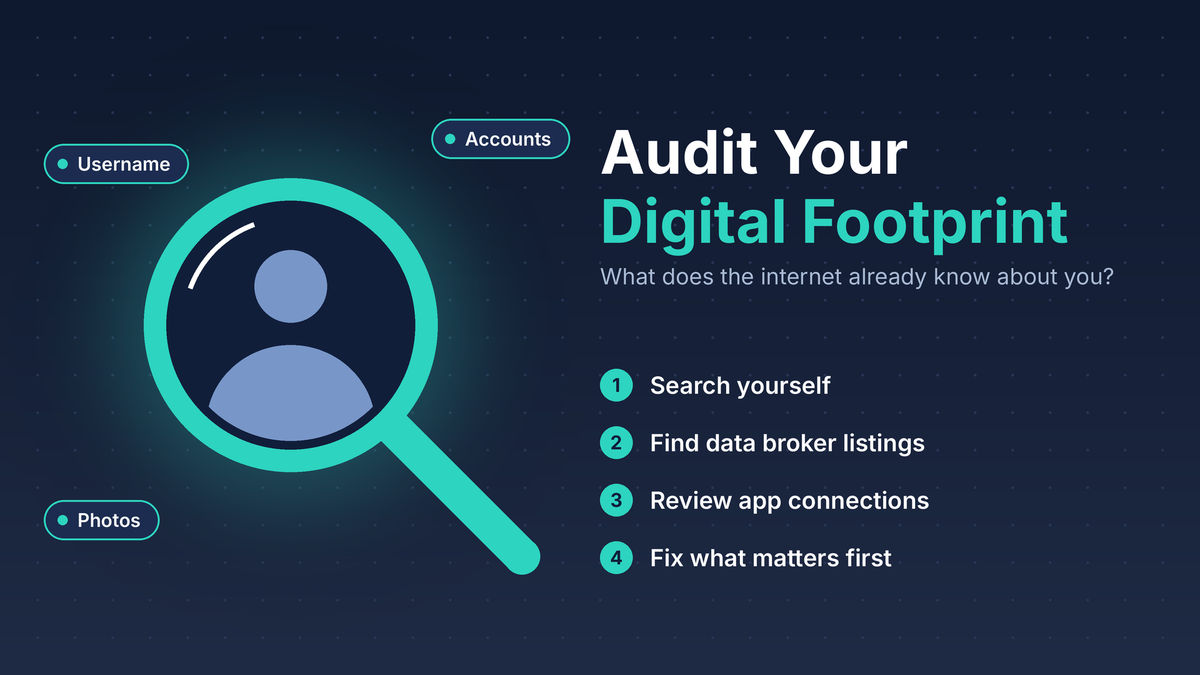
A practical way to find out what the internet already knows about you
A lot of what I do in OSINT comes down to one question: what can be learned about someone from public sources? Over time I have realized that the most useful way to apply those skills is not on a subject, but on myself.
If I can find your home address, your old usernames, or a list of your relatives with a few searches, so can a scammer, a harasser, or someone who simply wants to cause trouble. The good news is that once you know what is out there, you can start doing something about it.
This article is about auditing your own footprint. Set aside an hour, make yourself a cup of coffee, and work through the steps below.
1. Start with a simple tracking list
Before you search anything, open a notes file or a spreadsheet with four columns: where I found it, what it exposes, what I will do about it, and whether it is done. An audit without notes turns into a lot of browsing and very little progress.
Also, search the way a stranger would. Use a private or incognito window and sign out of your accounts, so the results are not shaped by your own history.
2. Search for yourself the way an investigator would
Try your name in several search engines, not just one. Google, Bing, and DuckDuckGo can return different results. Then vary the search:
- Your full name in quotation marks, then again with your city, employer, school, or a family member’s name.
- Your email addresses and phone numbers, each in quotation marks.
- Every username you have used, past and present.
- The image results for your name. Click through to see which pages the photos come from.
Pay special attention to usernames. People tend to reuse them, and a single handle can tie together accounts you thought were separate.
3. Look for people-search and data broker listings
Data brokers collect names, addresses, phone numbers, and relatives from public records and other sources, then publish or sell them. Search for your name along with your city on a few of the well-known people-search sites and see what they say about you.
For each listing you find, write down what is exposed and look for the opt-out process on that site. It is usually free, even if it takes some patience. I covered some of the paid and lower-cost removal options in Affordable Privacy Solutions if you would rather not do this by hand.
There are two tools worth knowing about:
- Google’s Results about you. This lets you request the removal of search results that contain your phone number, home address, or email address, and you can turn on alerts when new results appear. Keep in mind that Google may not remove results from government, educational, or news sites, and a removed result can still exist on the original website. (support.google.com)
- California’s DROP platform. If you live in California, the state’s Delete Request and Opt-out Platform lets you send one deletion request to registered data brokers instead of contacting each one. Brokers have 90 days to act on a request. (malwarebytes.com)
4. Review your social media from the outside
Look at each of your profiles while logged out, or ask a trusted friend who is not connected to you to take a look. What you see is what everyone else sees.
- Check your bio, profile photo, and about section for your employer, hometown, school, birthday, and phone number.
- Review old posts, tagged photos, and public friends or followers lists.
- Look at the backgrounds of your photos. House numbers, street signs, license plates, and school logos can give away more than you intended.
- Walk through the privacy settings on every platform. They change over time, and updates sometimes reset them.
This is also a good time to find accounts you forgot about. If you have not used a profile in years, delete it rather than leaving it there.
5. Check for breaches
Your digital footprint includes what has leaked as well as what you chose to publish. Have I Been Pwned lets you check an email address against known breaches. I wrote about a tool I built around it in PwnedLookup Tool. For every breach that includes one of your accounts, change the password and make sure that password is not used anywhere else.
6. Review the apps connected to your accounts
Over the years, most of us have clicked “Sign in with Google” or “Connect to Facebook” more times than we can remember. Those connections can keep access to some of your data long after you stop using the app.
In your Google Account, you can see them at myaccount.google.com/linkedapps. Select an app and choose to remove access. Google notes that this stops the app from reaching your account, though it does not erase data already stored in the app itself. (support.google.com) Apple, Microsoft, and Facebook have similar sections in their security or privacy settings.
7. Do not forget public records
Some information is public by design, and it is better to know what is there. Depending on where you live, that can include:
- Property records, which are often searchable on your county property appraiser’s website.
- Voter registration information, which varies a great deal by state.
- Business filings, professional licenses, and court records.
- Domain registration records, if you own a website. Many registrars offer privacy protection for this.
You usually cannot remove these, but knowing about them helps you understand where the data brokers get their information.
8. Decide what to fix first
You will probably find more than you can fix in one weekend, so I would work in this order:
- First: anything that exposes your home address, phone number, or the names of your children.
- Second: accounts tied to a breach, and anything that could help someone guess a password or answer a security question.
- Third: old accounts, unused app connections, and outdated posts.
Going forward, I would also consider using a separate email address or an email alias when you sign up for stores, newsletters, and contests. It keeps your main address out of the places most likely to leak it.
9. Make it a habit
Your footprint changes every time you sign up for something, move, or change jobs. I would repeat this audit every six months. A calendar reminder works well. You can also set up a free Google Alert for your name and turn on the notifications in Results about you so new results come to you.
The quick audit checklist
☐ I searched my name, email addresses, phone numbers, and usernames in more than one search engine.
☐ I checked people-search sites and started opt-out requests for my listings.
☐ I used Results about you, and DROP if I live in California.
☐ I viewed my social media profiles while logged out and tightened my settings.
☐ I checked my email addresses for breaches and changed affected passwords.
☐ I removed app connections I no longer use.
☐ I looked up my public records and know what is listed.
☐ I closed old accounts I forgot about.
☐ I set a reminder to repeat this in six months.
Start where you are
It can be uncomfortable the first time you see how much is out there. That is normal, and it is not a reason to panic. You do not have to erase yourself from the internet. The goal is to make informed choices about what stays visible and to make it harder for someone to use it against you.
If you are the person in your family who helps with technology, consider running this audit with a parent or grandparent. They may have more exposed than they realize.
What was the most surprising thing you found when you searched for yourself? I would be interested to hear what you discovered and what you did about it.