OSINT for Discord

I wanted to learn more about ways to extract info from Discord, and I thought that I would document my steps in hopes of helping others.
I began with simple search of how to extract user info from Discord. I was presented with the concept of "Extracting Timestamps from Discord IDs (Snowflakes)"
I then began researching this process, and discovered that Discord uses a system called Snowflake IDs — a concept borrowed from Twitter. Every ID is a 64-bit integer that encodes creation time directly into its structure. Discord's epoch started on January 1, 2015 (Unix timestamp 1420070400000 ms).
Getting Discord IDs
You first need to enable Developer Mode in Discord to copy raw IDs:
Settings > Developer > Developer Mode (toggle on)
Then right-click any user, server, channel, or message and select Copy ID
IDs are available on:
- User > Right-click username
- Server > Right-click server name
- Channel > Right-click channel name
- Message > Right-click message
- Role > Server Settings > Roles > right-click
Once you have the Discord ID, you can use a tool like Discord Utils to extract the date, time and unix time in which the User, Server, Channel, Message or Role was created.
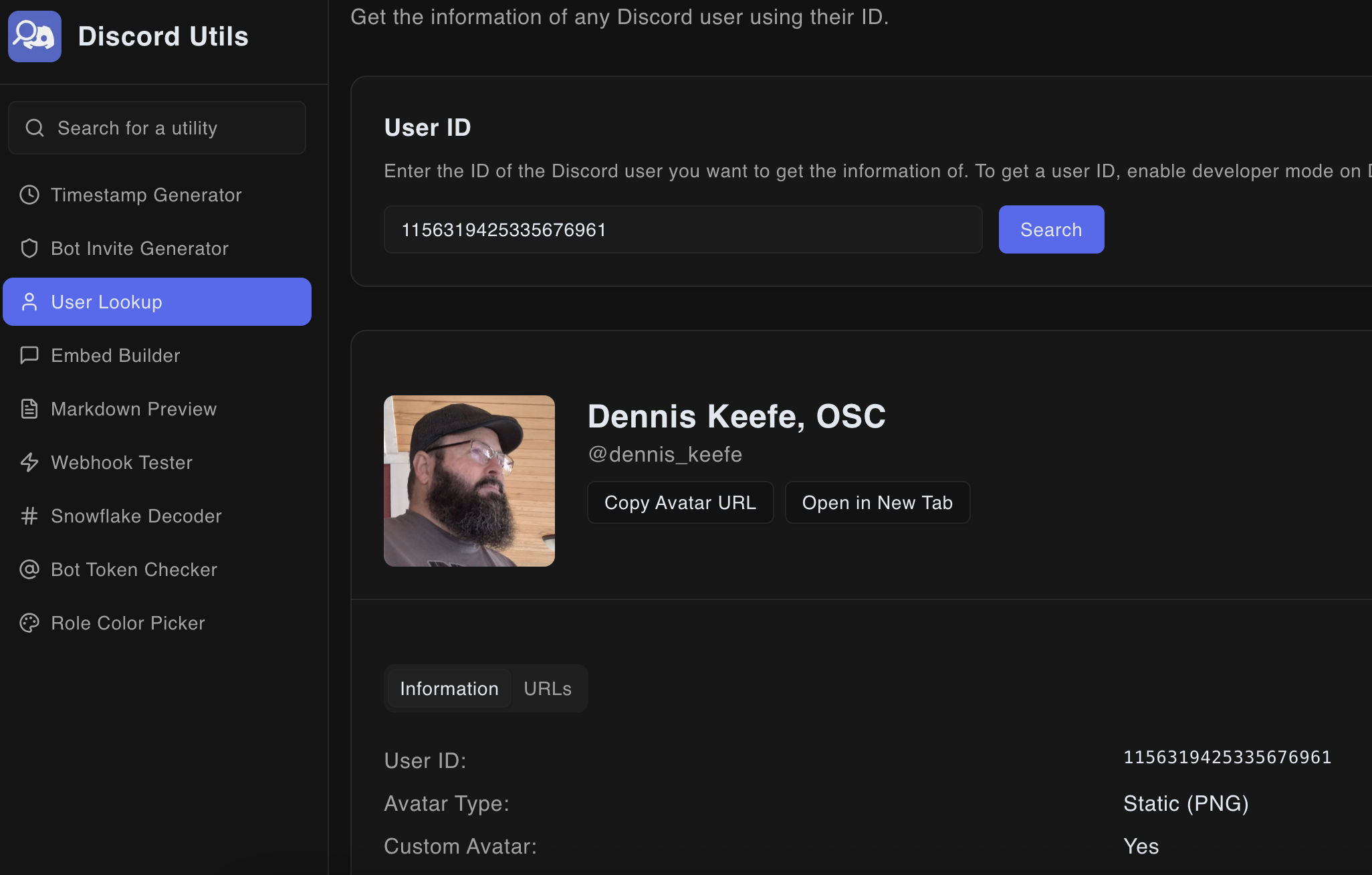
The Discord Utils website also has a "User Lookup" which allows you insert the Discord ID and obtain the display name, username and avatar for that user, without having to login to Discord.
From a Snowflake ID alone you can establish:
- Exact creation date and time of the account, server, channel, message, or role — down to the millisecond
- Whether an account age matches claimed history — a user claiming to have been on Discord for years but with a 2023 account creation date is a red flag
- Server founding date — useful for verifying legitimacy claims
- Message send time — even if a message is deleted, if you captured the ID, the timestamp is recoverable
Practical Workflow
- Enable Developer Mode in Discord
- Right-click the target (user, server, message) and copy the ID
- Paste into
https://discordutils.com/or run the one-liner in your browser console - Record the UTC creation timestamp
- Cross-reference against any claimed account history or activity timeline
This is one of the most reliable data points available in Discord OSINT because the timestamp is baked into the ID itself — it cannot be changed or spoofed after account creation.